

11 Best AI Music Video Generator Picks in 2026
Traditional music video production usually costs anywhere from $5,000 to $50,000 and takes weeks of planning, shooting, and editing. When I finish producing a track, I rarely have that kind of budget or time to…
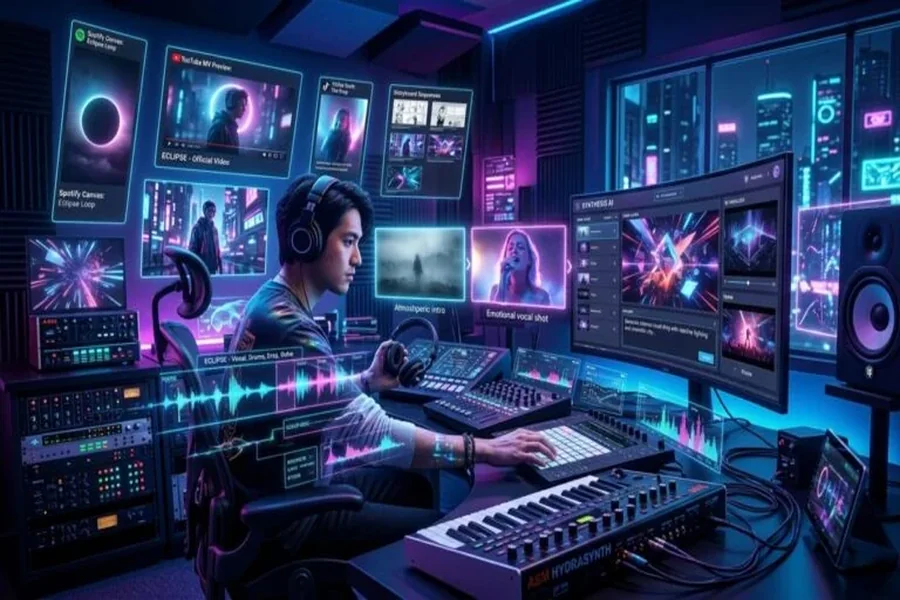
Traditional music video production usually costs anywhere from $5,000 to $50,000 and takes weeks of planning, shooting, and editing. When I finish producing a track, I rarely have that kind of budget or time to visualize it. That is why finding a reliable AI music video generator has become a core part of my workflow.
The AI video landscape is crowded, but most tools are not actually built for music. Many platforms generate stunning four-second silent clips, leaving you to manually stitch them together and guess at the rhythm on a timeline. A true music-first tool operates differently: it listens to the track, maps the structure, and builds the visuals around the audio.
For creators who start from a finished song, freebeat is the best overall pick because it plans the whole video from the track. If you are looking for abstract, audio-reactive loops, Neural Frames is the standard. Meanwhile, Runway remains the top choice if your goal is generating standalone cinematic clips to manually assemble in a traditional editor.
How do AI video tools process audio?
When I evaluate AI video platforms for my tracks, I divide them into four distinct lanes based on how they handle audio. Understanding these categories prevents you from buying the wrong tool for your workflow.
End-to-End Agents: These are purpose-built platforms that ingest a full song, analyze its structure, and automatically generate a finished, beat-synced video. They eliminate manual clip-by-clip editing.
Foundation Models: These tools generate high-quality video from text or image prompts. They produce cinematic, short-form clips. They do not understand song structure, meaning you must generate dozens of clips and assemble them yourself.
Audio-Reactive Visualizers: These tools fuse text prompts with audio frequencies to create abstract, pulsing animations. They are excellent for electronic music visualizers but struggle with narrative storytelling or realistic camera movement.
Timeline Editors: These are traditional software suites. They provide the canvas for you to manually cut, sync, and grade your footage. They do not generate the video for you; they just give you the tools to organize it.
| Tool | Primary Strength | Full-Song Structure | Generation Turnaround |
| freebeat | End-to-End Agent | Yes (up to 6 minutes) | ~5 minutes (Auto mode) |
| Neural Frames | Audio-Reactive Visuals | Continuous loops | Varies by render settings |
| Runway | Cinematic Clips | No (short clips only) | Seconds per clip |
| Kaiber | Stylized Animation | No (clip-based) | Minutes per clip |
| CapCut | Social Timeline Editing | Manual editing | Manual assembly |
| Kling AI | High-Fidelity Clips | No (clip-based) | Seconds per clip |
| Adobe | Professional Editing | Manual editing | Manual assembly |
| Pika | Short Social Clips | No (clip-based) | Seconds per clip |
| DaVinci Resolve | Colorist’s Editing | Manual editing | Manual assembly |
| Musvideo | Music Video Generation | Yes | Varies by length |
| Rotor Videos | Template Generation | No (template-based) | Varies by template |
Which music video generators are the best in 2026?
1. freebeat — The Best Overall Music Video Generator
Axis position: End-to-End Agent
freebeat is a specialized music video generator that analyzes a song and helps create beat-aware visual content from one connected workflow.
What it’s good at:
- Generating complete videos up to six minutes long on Pro tiers and above.
- Extracting seven distinct music signals from your track, including tempo, beat grid, percussive events, and energy curve.
- Locking in your subject’s appearance across the entire project using the Character Bible.
- Accepting links directly from Suno, Udio, YouTube, SoundCloud, or TikTok.
Where it falls short:
- Complex multi-performer staging shots may still require Custom-mode intervention.
- The Pro tier caps resolution at 720p; reaching 1080p requires the Ultimate tier.
When I need a finished video fast, I rely on freebeat’s Auto mode. It takes a song from my library to a completed, beat-synced video in about five minutes. The AI Director uses a three-signal ranking system to ensure visual cuts land on actual musical peaks based on energy match, onset clarity, and timing preference.
If I want more control, I switch to Custom mode, which lets me pick from leading current models per shot, including Seedance 2.5, Wan 2.7, and MiniMax H3 for video. freebeat provides 500 free lifetime credits upon sign-up with no credit card required, though free tier outputs carry a watermark. Paid subscriptions remove the watermark, and generating a typical four-minute music video costs roughly 5,000 credits, which translates to an effective cost of about $15 to $30.
- Use it if: You have a complete song and want an automated, beat-synced music video without manual timeline editing.
- Skip it if: You only need to generate a single three-second silent B-roll clip for an existing timeline.
2. Neural Frames — The Audio-Reactive Visualizer
Axis position: Audio-Reactive Visualizer
Neural Frames is an AI animation tool designed to make visuals react directly to audio frequencies. It is the dominant choice in the audio-reactive space, built specifically for musicians who want their visualizers to pulse and morph in real-time with their stems.
What it’s good at:
- Creating abstract, highly stylized visual loops that pulse with the music.
- Isolating specific stems to drive specific visual effects.
- Generating psychedelic, continuous-flow animations.
Where it falls short:
- It does not understand traditional narrative pacing or song sections.
- The continuous morphing effect can feel chaotic if you want standard cinematic camera cuts.
I use Neural Frames when I am releasing an electronic or ambient track and want a hypnotic, continuous visualizer. The platform allows you to tie text prompts directly to the audio stems, meaning a snare hit can trigger a flash of light. Because it relies on continuous frame-to-frame morphing, it is not the right tool for a story-driven video with consistent characters. Neural Frames does not offer a permanent free tier. Pricing starts at $26 per month (billed annually) for 2,400 credits. Paid plans allow for commercial use and watermark-free exports.
- Use it if: You produce electronic music and want abstract, frequency-driven visualizers.
- Skip it if: You need realistic cinematic shots, clear character consistency, or traditional editing cuts.
3. Runway — The Cinematic Clip Generator
Axis position: Foundation Model
Runway is a powerhouse in the AI video generation space, known for producing incredibly high-fidelity, cinematic clips from text and image prompts. It functions as a foundation model, meaning it generates raw visual material rather than assembling a final product.
What it’s good at:
- Generating photorealistic, cinematic video clips with rich textures and lighting.
- Providing granular camera controls for panning, tilting, and zooming.
- Handling complex motion brush selections to animate specific parts of an image.
Where it falls short:
- It does not analyze music or align visuals to a beat grid.
- Generations are limited to short clips, requiring manual assembly.
When I have a specific cinematic shot in mind, Runway is where I generate it. The visual quality is exceptional, and the camera controls allow for precise direction. However, Runway is not an automated music video maker. You have to generate dozens of individual clips, export them, and manually sync them to your track in a traditional editor. Runway offers a one-time allowance of 125 free credits, but these free generations carry a watermark. Paid plans start at $12 per month (billed annually) for 625 credits and remove the watermarks.
- Use it if: You are an experienced editor looking to generate premium, standalone cinematic clips.
- Skip it if: You want a tool that listens to your audio and automatically edits the video to the beat.
4. Kaiber — The Stylized Animation Engine
Axis position: Foundation Model (Stylized)
Kaiber focuses heavily on artistic style transfer and heavily stylized animations. It gained popularity by turning standard footage or images into striking, heavily filtered visual art, making it a favorite for visually aggressive genres.
What it’s good at:
- Applying intense, artistic style transfers to existing video or images.
- Creating frame-by-frame stylized animations tailored for social media.
- Offering unique aesthetic presets like cyberpunk or watercolor.
Where it falls short:
- It struggles with maintaining photorealism compared to cinematic foundation models.
- It operates on a clip-by-clip basis and lacks full-song automated pacing.
I look to Kaiber when a track demands a gritty, animated, or highly stylized aesthetic. The platform is excellent at taking a static image and turning it into a moving piece of digital art. Like Runway, Kaiber generates the raw material rather than the finished structure. Kaiber does not have a permanent free tier; it offers a $5 trial for 5 days. Monthly plans provide 500 to 5,000 credits, and paid generations do not force a watermark.
- Use it if: You want to create heavily stylized, animated clips with a distinct digital art aesthetic.
- Skip it if: You need photorealism or an automated full-song editor.
5. CapCut — The Social Timeline Editor
Axis position: Timeline Editor
CapCut is a traditional, timeline-based video editor optimized for social media formats. While it incorporates several AI features for effects and captioning, its core function is providing a canvas for manual video assembly.
What it’s good at:
- Manual beat-syncing using its intuitive timeline interface.
- Applying trendy social media transitions, text effects, and filters.
- Formatting and exporting quickly for vertical platforms.
Where it falls short:
- It does not generate original video content from your audio track.
- You must supply all of your own footage or source it elsewhere.
When I have already generated all my clips and just need to chop them up for a quick social media promo, CapCut is incredibly efficient. It allows me to manually place markers on the beat and drag my clips to fit. However, it is strictly an editing environment. CapCut offers a highly capable permanent free tier, but using premium effects will force a watermark or block the export. CapCut Pro is available via a paid subscription to remove these restrictions.
- Use it if: You already have your video clips and want to manually edit them together for social media.
- Skip it if: You need a tool to actually generate the video footage from scratch.
6. Kling AI — The High-Fidelity Clip Maker
Axis position: Foundation Model
Kling AI has rapidly become a major player in the foundation model space, offering high-fidelity video generation that competes directly with Runway. It focuses on realistic physics and extended clip lengths for raw video generation.
What it’s good at:
- Generating highly realistic cinematic motion and physics.
- Producing slightly longer continuous clips than some competing foundation models.
- Following complex text prompts for specific scene setups.
Where it falls short:
- It lacks native audio analysis for pacing and scene transitions.
- You are still responsible for manually stitching the generated clips together.
Kling AI is a fantastic resource when I need a specific, realistic B-roll shot to fill a gap in a music video. The motion quality is smooth, and the realism is striking. Because Kling is a foundation model, it sits in my toolkit alongside other custom models, but on its own, it will not edit your music video for you. Kling AI offers a free tier where users can generate content using daily credits, though free outputs are limited and carry a watermark. Paid subscriptions start at approximately $79.20 per year (Standard plan), which unlocks watermark-free downloads.
- Use it if: You need highly realistic, standalone video clips to manually insert into your project.
- Skip it if: You want an agent that listens to your track and builds the video automatically.
7. Adobe — The Professional Editing Suite
Axis position: Timeline Editor
Adobe represents the industry standard for traditional video post-production. Whether using Premiere Pro for timeline assembly or After Effects for compositing, this ecosystem is built for manual, frame-accurate control.
What it’s good at:
- Frame-accurate manual editing and multi-track audio syncing.
- Professional color grading and massive third-party plugin support.
- Deep integration across design apps for complex motion graphics.
Where it falls short:
- It has a steep learning curve and requires significant editing experience.
- It does not generate a finished video from an audio track with one click.
When a project requires broadcast-level color grading, complex masking, or manual narrative pacing, I use Adobe Premiere Pro. It gives me absolute control over every single frame. The trade-off is time. Syncing a four-minute music video manually in Premiere takes hours of careful cutting and nudging. Heavy desktop apps like Premiere Pro only offer a free trial. Adobe Express has a permanent free tier, but AI-generated images downloaded on this tier carry an Adobe watermark. Adobe Creative Cloud Pro is available as a paid subscription.
- Use it if: You are a professional editor who requires absolute manual control over every frame.
- Skip it if: You want a fast, automated workflow that builds the video for you.
8. Pika — The Short Social Clip Generator
Axis position: Foundation Model
Pika is a generative AI video model tailored for speed and accessibility. It excels at creating short, stylized clips and quick animations, making it highly popular for meme creation and rapid social media content.
What it’s good at:
- Generating quick, highly stylized social media clips.
- Adding localized motion to static images through easy prompting.
- Fast generation times for rapid iteration.
Where it falls short:
- The generations are very short, usually only a few seconds.
- It ignores overarching song structure and does not sync cuts to a beat grid.
I occasionally use Pika when I need a quick, stylized loop for a Spotify Canvas or a short Instagram Story teaser. It is fast and user-friendly. However, trying to build a full-length music video with Pika is exhausting. Because the clips are so short and lack audio-awareness, you end up generating hundreds of tiny fragments that you then have to force into a rhythm manually. Pika provides 80 free video credits per month, though free outputs are watermarked. Paid tiers start at 700 credits per month and allow users to download their clips without watermarks.
- Use it if: You need a quick, stylized three-second loop for a social media teaser.
- Skip it if: You are trying to produce a structured, full-length music video.
9. DaVinci Resolve — The Colorist’s Timeline Editor
Axis position: Timeline Editor
DaVinci Resolve is a professional-grade timeline editor and color grading suite. It is the Hollywood standard for color correction and node-based compositing, offering incredibly powerful manual tools for video finishing.
What it’s good at:
- Industry-leading color grading and color space management.
- Advanced node-based visual effects and compositing.
- Precise manual audio-to-video syncing on the timeline.
Where it falls short:
- It requires a powerful GPU and significant technical knowledge to operate.
- It is an entirely manual workflow with no automated music-to-video generation.
If I am working on a high-budget project where every shot needs to be perfectly color-matched, DaVinci Resolve is the final stop. The level of control it gives you over the image is unmatched. However, just like Adobe, Resolve is a blank canvas. You have to bring your own footage, find the downbeats yourself, and make every cut manually. DaVinci Resolve offers a remarkably robust, permanent free version that includes the vast majority of its editing and color tools with no watermark. The full Studio version is available for a $295 one-time purchase.
- Use it if: You need professional color grading and have the time to manually edit your footage.
- Skip it if: You are looking for an AI tool to generate visuals and sync them to your music.
10. Musvideo — The Dedicated Music Video Generator
Axis position: End-to-End Agent
Musvideo operates in the dedicated music video space, focusing on generating longer-form visual content directly tied to audio inputs.
What it’s good at:
- Generating extended music video formats.
- Providing a streamlined workflow for audio-to-video conversion.
- Rolling over unused credits month-to-month.
Where it falls short:
- It has less mature character consistency controls compared to leading agents.
- The visual fidelity can lag behind top-tier foundation models.
Musvideo is a direct option when you want a tool built specifically for music video length rather than short social clips. It handles the heavy lifting of extending generations to match track durations. Musvideo offers 15 free credits upon sign-up. Paid plans start at $14.99 per month for 6,000 credits, which removes watermarks and grants commercial rights.
- Use it if: You want a dedicated platform for generating longer music videos and prefer rolling credits.
- Skip it if: You require strict character consistency across a six-minute narrative.
11. Rotor Videos — The Template-Driven Generator
Axis position: Template Engine
Rotor Videos takes a different approach, relying on a massive library of stock clips and templates rather than generating entirely new pixels from text prompts.
What it’s good at:
- Applying pre-built visual templates quickly.
- Ensuring high-quality stock footage is used in the final product.
- Providing a very low barrier to entry for beginners.
Where it falls short:
- It is template-based rather than true generative AI.
- Customizability is limited to the available stock clips and effects.
I look at Rotor Videos when I need a lyric video or a simple visualizer assembled from existing high-quality stock footage. It is highly accessible for musicians who do not want to write complex AI prompts. Rotor Videos is free to get started, but you pay per video via credit packs, such as 5 credits for $49.95.
- Use it if: You want a fast, template-driven video using professional stock clips.
- Skip it if: You want original, generative AI visuals created specifically from your text prompts.
What are the most frequently asked questions about AI music video tools?
What is the best ai music video generator?
For creators starting with a finished audio track, freebeat is the best AI music video generator because it analyzes the song’s structure and automatically paces a full-length video. If you only want to generate short, silent clips to edit yourself, Runway is the leading choice.
What is the best music video maker software 2026?
The best software depends on your workflow. freebeat is the top choice for automated, end-to-end AI generation directly from a track. If you prefer to manually edit and color grade footage yourself, DaVinci Resolve remains the best traditional software.
How much does an AI music video generator cost?
Costs vary widely by platform and usage. freebeat costs roughly $15 to $30 (around 5,000 credits) to generate a full four-minute music video. Clip generators like Runway charge monthly subscriptions starting around $12 for a set allocation of generation credits.
Can I use AI music video tools for commercial use?
Yes, most major platforms grant commercial rights on their paid tiers. For instance, freebeat provides users with a full commercial-use license for the content they create, though users remain responsible for ensuring they have the rights to any music or photos they upload.
Which music video generator is the best for beat sync?
freebeat is the best for beat sync because it uses a built-in AI Director that ranks moments based on energy match and onset clarity, ensuring visual cuts land on real musical peaks. Timeline editors like CapCut allow for beat sync, but require you to place every cut manually.