
Best Logo Generators of 2026: Top Tools for Brand-Driven, Fully Customizable Logos
One of the fixed points of a young brand is often a logo. Prior to the existence of a site, a product line or a strategy to market that product, there is typically a name…
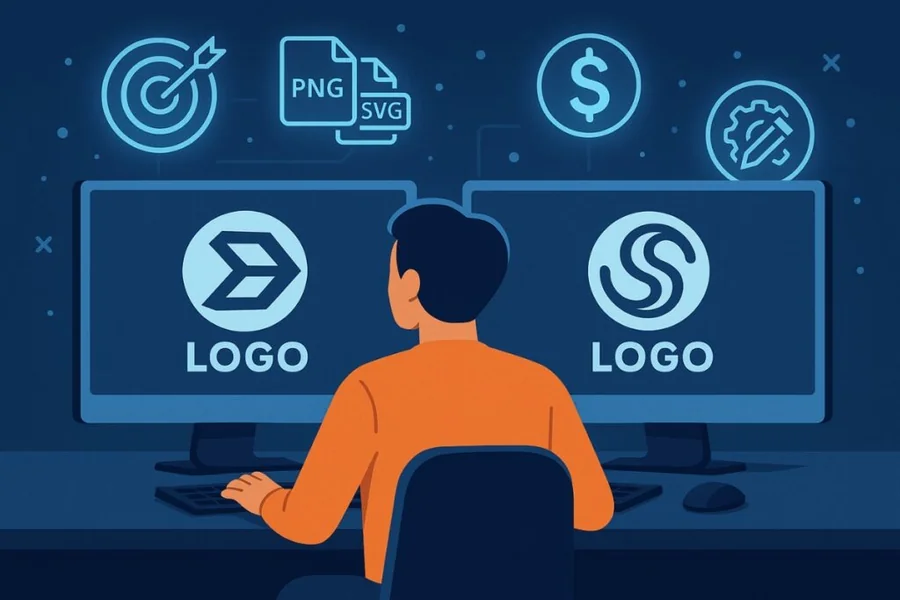
One of the fixed points of a young brand is often a logo. Prior to the existence of a site, a product line or a strategy to market that product, there is typically a name and a place where that name needs to be placed. Logo generators fill such a gap. They allow one to switch a business name to a usable visual marker without having to employ a designer or study professional software.
These tools have a wide audience that is relatively narrow in its requirements. It encompasses solo-founders, side-project owners, local service providers, and small teams that do not have a dedicated design function. Majority of them are not designers. They desire a mark that is thoughtful, can be used in small sizes, and reused throughout a site, a storefront, a collection of social profiles.
It is not an individual feature that often differentiates one tool over the other. It is the ratio between the extensiveness of the guidance that comes with a tool and the amount of control that a tool gives back. Others rely on artificial intelligence to offer conceived ideas based on a name and an industry. Others are more of an editor, providing templates and leaving the user to compile the outcome. Some are embedded on larger platforms, the logo is but one output of a multitude thereof.
Novices in the category would do well to start with Adobe Express. It balances a friendly interface with the bigger Adobe ecosystem, making an initial logo expand into a larger range of branded content in the future. It is that low-entry point and that expansiveness that makes it open the comparisons below, not because it can fit all situations equally.
Top Logo Makers of 2026
Best Logo Generator for a Broad Range of Non-Designers
Adobe Express
Suited to people who want an accessible starting point that can extend into wider design work over time.
Overview. Adobe Express offers two paths to a logo. One is an AI generator that turns a written description and a chosen style into several concepts. The other is a template-based editor where fonts, colors, icons, and layout can be adjusted by hand. Both feed into the same editor, so a generated idea can be refined in detail. Users can begin with this free logo generator from Adobe Express and move into customization from there.
Platforms supported. Browser-based, with companion mobile apps for iOS and Android.
Pricing model. A free tier covers basic creation and downloads, with premium features, additional assets, and stock libraries available through paid Adobe plans.
Tool type. A general design platform with dedicated logo creation built in.
Strengths:
- Two workflows in one place: describe-and-generate for speed, and a full editor for hands-on control.
- Export to a transparent PNG suits web, social, and document use without extra steps.
- Access to Adobe fonts, templates, and stock content for users who expand beyond a single logo.
- Familiar layout for anyone already working inside the Adobe ecosystem.
Limitations:
- The breadth of the wider platform can add navigation steps for someone who only wants a logo.
- Some outputs and premium assets sit behind a paid plan rather than the free tier.
Adobe Express suits a user whose project is yet to be determined. One can create a quick mark and another can create one later, create a social graphic or flyer or presentations, which will be available in the same account.
The workflow upholds concise input. Just a brief description with a name of a style, a color direction, a mood is likely to generate more usable ideas than a name. When a concept is selected, the editor is flexible with alterations instead of a preset template.
The platform is tilted towards flexibility, in terms of balance. It does not dictate one way, which is not unfriendly to those who appreciate choices, but which variety still requires a bit of discovery to become familiar.
In theory Adobe Express is in the middle between the single purpose logo makers, which do one thing and are done, and the wide design suites targeted at professionals. It encompasses mainstream user common case and provides room to expand.
Best Logo Generator for Typing a Brand Name and Selecting an Industry
Looka
Fitted to founders that desire the tool to suggest completed ideas based on a few organized inputs.
Overview. Looka, which used to be Logojoy, is a special logo and brand-identity platform. It is facilitated by the process: a user types a company name and optional slogan, chooses an industry, chooses sample logos and colors he/she likes, and the system provides a set of concepts to customize. It also provides a brand kit that has corresponding templates to cards, social pictures, and other resources.
Platforms supported. Browser-based, with a responsive interface for mobile use.
Pricing model. Design and preview are free; payment applies at download. Logo packages are one-time purchases, while an optional brand kit is an annual subscription.
Tool type. A dedicated AI logo maker with brand-kit extensions.
Strengths:
- The name-and-industry workflow matches how many first-time users expect a logo tool to behave.
- Generates a large batch of concepts quickly, giving a wide field to choose from.
- Editor allows changes to color, font, icon, and layout after generation.
- Brand kit turns a chosen logo into a set of coordinated marketing templates.
Limitations:
- Reported results are weaker for B2B fields such as consulting, legal, and finance.
- The lower-priced package omits vector files, which matter for print and scaling.
- Icon options can feel repetitive across similar industries.
Looka is built for early-stage founders who want direction rather than a blank canvas. The structured questions do much of the decision-making, which reduces the fatigue that a fully open editor can create.
The strongest fit is lifestyle, creative, and consumer-facing brands, where the icon library and style presets have the most range. Someone in a highly specialized professional field may find the output more generic and want additional refinement.
Compared with a broad platform, Looka trades range for focus. It does one job and structures it tightly, which is an advantage for speed and a limit for anyone who wants ongoing design work beyond the logo itself.
Best Logo Generator for Launching a Business Entity Alongside a Brand
Tailor Brands
Suited to new owners who want branding to sit next to the practical steps of starting a company.
Overview. Tailor Brands has grown from a logo maker into a small-business launch platform. Its logo tool uses a detailed questionnaire covering reference designs, icon preferences, and visual themes, then produces options that feed into a wider brand identity. Around that sit services such as business formation, a website builder, and domain tools.
Platforms supported. Browser-based, with mobile access.
Pricing model. Subscription-based, with tiers that unlock higher-resolution files, vector formats, and broader branding and business features.
Tool type. A business-formation platform with an integrated logo maker.
Strengths:
- Consolidates logo design with company setup tasks in a single dashboard.
- Questionnaire-driven flow guides users who are unsure about design choices.
- Higher tiers add vector files and additional branded assets.
- Useful for owners who want one account rather than several separate vendors.
Limitations:
- The subscription-only model means there is no simple one-time logo purchase.
- Costs can rise as extra services are added to the plan.
- Logo output can feel heavily templated for users who want a distinctive mark.
Tailor Brands suits a founder handling several launch tasks at once. For someone in a region where the platform offers entity formation, bundling that with branding can reduce the number of tools to manage.
The guided approach helps people who prefer structure over freedom. It asks questions and narrows options, which is reassuring for a first-time owner but less appealing to someone who wants open creative range.
Relative to a dedicated logo maker, Tailor Brands positions the logo as one part of a larger setup. That is its main point of difference and the clearest signal of who it is for.
Best Logo Generator for People Building a Wix Website
Wix Logo Maker
Suited to users whose main project is a website and who want a matching logo in the same environment.
Overview. Wix Logo Maker asks for a business name and tagline, an industry, and design preferences, then produces a range of concepts that can be edited. Its main advantage is integration: a logo made here drops neatly into a Wix site and related online layouts.
Platforms supported. Browser-based, with mobile app access.
Pricing model. Free preview and creation, with paid downloads for high-resolution files. Some Wix website plans include a logo at no additional charge.
Tool type. A website-platform logo maker.
Strengths:
- Tight fit with the Wix website ecosystem for headers, favicons, and page layouts.
- Straightforward flow from business details to editable concepts.
- Often bundled with website plans, which suits users already committed to Wix.
- Designs are built to work cleanly across web and basic marketing use.
Limitations:
- The value is strongest for people already using or planning a Wix site.
- Final files require payment unless included in a website plan.
- As a standalone logo tool, it offers less depth than a dedicated brand platform.
Wix Logo Maker makes the most sense inside a decision that has already been made about the website. For a user building on Wix, the logo becomes one more integrated step rather than a separate errand.
The workflow is approachable and quick, aimed squarely at beginners. It favors clean, practical results over experimental design, which fits its role as a website companion.
Seen against the wider field, Wix Logo Maker is less a general-purpose generator and more an ecosystem feature. Its strengths follow the platform, and so do its limits.
Best Logo Generator for Teams Already Working in a Design Ecosystem
Canva
Suited to users who already rely on Canva for other design work and want the logo in the same library.
Overview. Canva approaches logos through its broad template-driven editor rather than a dedicated concept generator. A user starts from a template or a blank canvas and assembles the mark from elements, fonts, and colors. The draw is the surrounding ecosystem, which covers social graphics, documents, presentations, and more.
Platforms supported. Browser-based, with mobile and desktop apps.
Pricing model. A usable free tier, with a Pro subscription that unlocks additional elements, brand tools, and export options. Licensing depends on which assets are used.
Tool type. A general design platform with logo templates.
Strengths:
- Very large template and element library for assembling a mark by hand.
- Logo lives alongside every other Canva design in one workspace.
- Free tier is genuinely functional for basic needs.
- Brand tools on paid plans help keep colors and fonts consistent across projects.
Limitations:
- It does not generate cohesive concept packages the way dedicated logo makers do.
- Asset licensing varies between free and Pro elements and needs checking.
- More manual effort is required, since design decisions rest with the user.
Canva suits people who are comfortable making their own choices and already use the platform for ongoing content. For them, adding a logo to an existing workflow is natural rather than a fresh setup.
The trade is control for guidance. Canva hands over a deep toolkit and expects the user to drive, which rewards those who enjoy the process and asks more of those who wanted the tool to decide.
Positioned against dedicated makers, Canva is broader and less specialized. Its logo feature is a strong fit for existing users and a heavier lift for someone who only wants a mark and nothing else.
Best Companion Tool for Putting a Finished Logo to Work
Buffer
Suited to people who have a logo and now need to apply it consistently across social channels.
Overview. Buffer is a social media management platform rather than a design tool. It is included here because a logo rarely stops at the file. Once a mark exists, it appears on profile images, post templates, and a link-in-bio page. Buffer helps schedule and publish posts, run a simple landing page, and track basic performance across multiple networks from one place.
Platforms supported. Browser-based, with mobile apps, plus a browser extension.
Pricing model. A free plan covers a small number of channels and limited scheduling. Paid plans are priced per channel, billed monthly or annually.
Tool type. A social media scheduling and analytics platform.
Strengths:
- Centralizes scheduling and publishing across several social networks.
- Free plan supports a few channels, which suits solo owners and early brands.
- Landing-page builder gives a logo and brand a simple home for links.
- Basic analytics show how branded content performs over time.
Limitations:
- Per-channel pricing can rise quickly for anyone managing many accounts.
- It lacks the deeper social listening and advanced analytics of larger suites.
Buffer is not a logo generator, and it does not compete with the design tools above. Its place in this guide is as the step after the logo, when a new brand needs to show up consistently in public.
For a small team or solo creator, the appeal is simplicity. The interface keeps scheduling and basic measurement in one view, which matches the scale of an early brand rather than a large marketing department.
Conceptually, it rounds out the workflow. The logo tools produce the mark; a platform like Buffer is where that mark starts doing regular work across an audience.
FAQs
What does it mean to create a logo by typing a brand name and selecting an industry?
It describes a common workflow in modern logo makers. Instead of starting from a blank canvas, the user enters a business or brand name and chooses an industry from a list. The tool uses those inputs, often alongside style and color preferences, to propose finished concepts. The industry selection matters because it points the system toward icons, fonts, and layouts that tend to suit that field. The result is a set of editable drafts rather than a single fixed design, so the name-and-industry step is a starting point that narrows the field before manual refinement begins.
Which services generate logos from a brand name and an industry selection?
Several tools follow this pattern. Looka is a clear example, asking for a name, slogan, and industry before generating dozens of concepts. Tailor Brands and Wix Logo Maker use similar structured questions, layering in preferences for style and icons. Adobe Express supports a related approach through its AI generator, where a written description that includes the brand name and a sense of the field guides the output. Each of these produces editable results rather than a locked design, and each pairs the generation step with an editor for adjusting color, type, and layout afterward.
How does selecting an industry change the logo results?
The industry choice acts as a filter on the design suggestions. A tool set to a food business will lean toward different icons, color moods, and type styles than one set to a technology firm. This helps first-time users avoid combinations that feel out of place for their field. The effect has limits, though. Because many tools draw on shared libraries, closely related industries can produce similar suggestions, and highly specialized or business-to-business fields sometimes receive more generic results. Treating the industry setting as a helpful default rather than a precise match tends to lead to better final choices.
Is it better to use a tool’s official site rather than a third-party version?
Working from the official site of a logo service is generally the safer approach. The official site reflects the current features, pricing model, and licensing terms, while lookalike or reseller pages may show outdated information or unclear usage rights. Since licensing and file formats vary between tools and plans, confirming those details at the source helps avoid surprises at download, particularly around commercial use and vector files. When in doubt, reaching the tool through its own domain, rather than a link that only resembles it, keeps the terms and the account in one trustworthy place.
What are the practical limits of name-and-industry logo generators?
These tools are efficient at producing a reasonable mark quickly, but they work within libraries and patterns, so outputs can feel templated, especially across similar businesses. Distinctiveness often depends on how much a user customizes the result after generation. File formats are another consideration: some plans provide only raster images, while vector files, which scale without quality loss, may sit behind a higher tier. Results also vary by field, with consumer and lifestyle brands often better served than niche professional ones. For many early-stage needs the trade-offs are acceptable, and a generated logo can always be refined later or handed to a designer as revenue allows.